

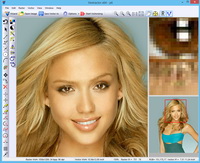
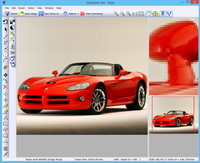
Photo Image Inpainter allows you to retouch and delete unwanted objects from your photo, making the scenery more attractive.
The program offers two main tools:
1. Delete wires
This tool allows you to quickly and easily delete wires and other unwanted linear objects like posts and antennas. The tool works where the surrounding region of the image has a smooth coloring (for example, wires with sky in the background).
2. Patching
This tool allows you to "blur" unwanted objects on any background, including patterned backgrounds. You can place a patch from one part of the image over another. For example, to delete objects on lawns or fronts of buildings, or over areas where there is a sharp change in brightness or color. Another function of the tool is to decorate a given region with a texture taken from other parts of the image. Automatic color correction allows you to select a color from its surrounding background.
Please read END USER LICENSE AGREEMENT for Photo Image Inpainter
To install Photo Image Inpainter to a PC:
Download the latest version of Photo Image Inpainter.
Double-click the file and go through the installation process. You should now be able to run Photo Image Inpainter by going to Start > Programs > Photo Image Inpainter and clicking on the "Run Photo Image Inpainter" icon.
How to uninstall Photo Image Inpainter:
Click on Start > Programs > Photo Image Inpainter -> Uninstall for delete the program form your PC.
More details about software uninstall procedure may be found in Software Uninstall Instructions



- The program supports a multitude of raster graphic file formats, including JPEG/JPEG200, BMP, GIF, TIFF, PNG, PCX, TGA, PPM, PBM, PGM.
- Wire delete tool.
- Patching tool.
- Photo Image Inpainter runs on MS Windows 32/64bit: 2000/XP/2003/Vista/Windows 7.

27.04.2020
RasterSttich 4.00
The code for searching and matching reference points has been optimized.
14.08.2018
Vextractor 7.20
Arcs and circles recognition algorithm was speeded up.
27.04.2017
Vextractor 7.10
Some interface improvements.


 E-mail: